

Twitter has become one of the most active platforms for visual content. Every day, millions of images, videos, and GIFs are shared across public profiles, trending topics, and viral threads. However, browsing this media is not always straightforward—especially if you don’t want to log in or leave a viewing trace. This is where a Twitter media viewer becomes useful.
A Twitter media viewer allows you to explore visual content from public Twitter accounts without signing in, offering a faster and more private way to browse images and videos.
What Is a Twitter Media Viewer?
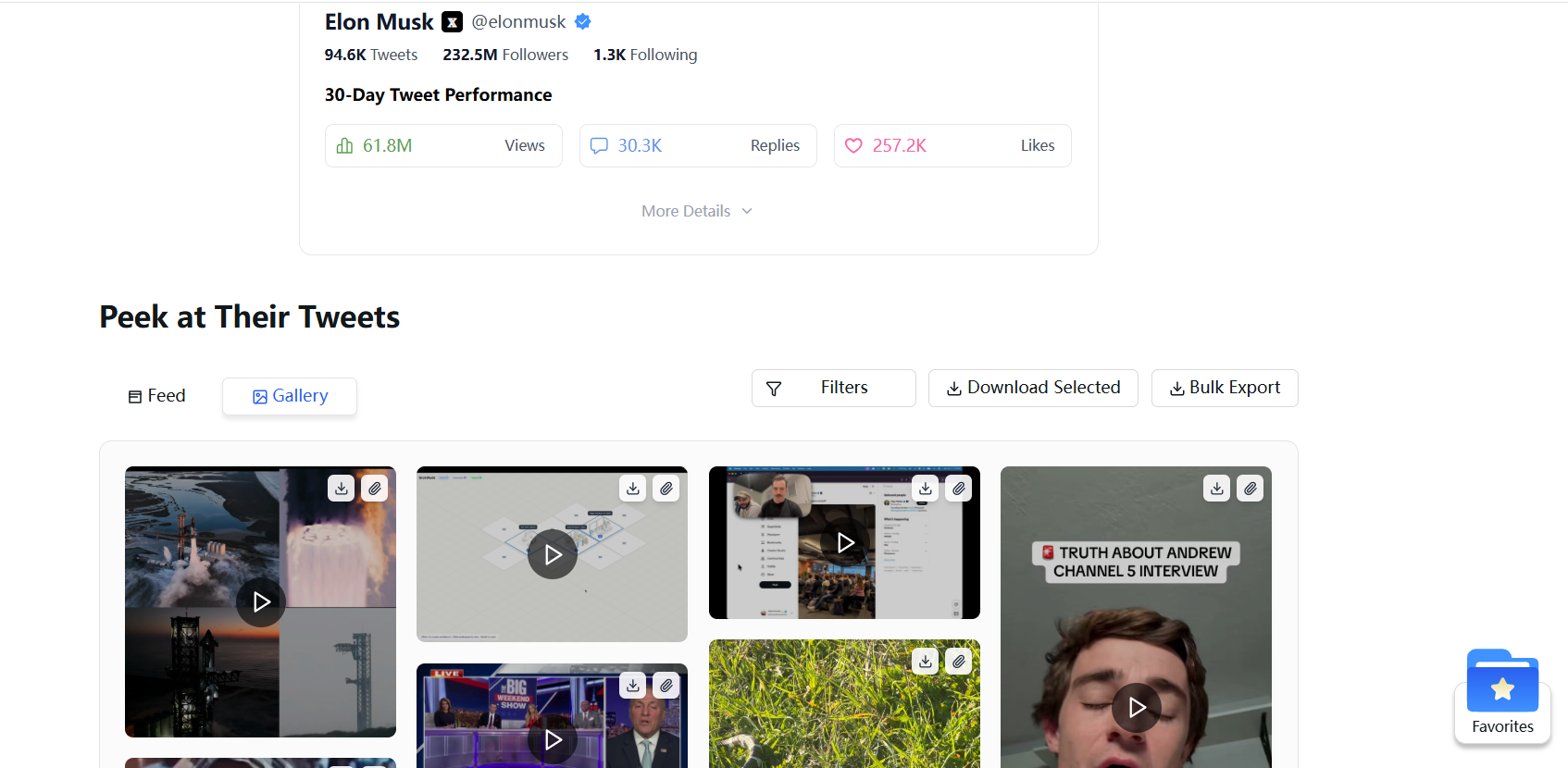
A Twitter media viewer is an online tool designed to display media content—such as images, videos, and GIFs—from public Twitter accounts in a simplified view. Instead of navigating timelines filled with replies, ads, and recommended posts, the viewer focuses specifically on media-related content.
Unlike the official Twitter interface, a media viewer does not require you to create an account or log in. You simply provide a Twitter profile or post URL, and the tool retrieves publicly available media content associated with that account. This makes it especially useful for users who want quick access to visual posts without interacting with the platform itself.
It’s important to note that Twitter media viewers only work with public accounts. Private or protected profiles remain inaccessible, as these tools respect Twitter’s visibility rules.
Why People Use a Twitter Media Viewer
Many users search for a Twitter media viewer because they want access without friction. Twitter increasingly encourages logged-in usage, which can interrupt casual browsing. A media viewer removes that barrier.
Privacy is another major reason.
When you view content directly on Twitter while logged in, your activity may be tracked or associated with your account. With a media viewer, you can browse anonymously, without signaling interest or triggering recommendations.
Speed also matters.
Media viewers are typically lighter and faster than the full Twitter interface. Users who are researching visual trends, checking recent uploads, or simply looking for specific images often prefer a clean, media-focused layout.
Common Use Cases for a Twitter Media Viewer
Twitter media viewers are widely used for browsing content from public profiles, especially when users are interested in visuals rather than conversations. Content creators and researchers often use them to review images and videos without distractions.
They are also useful for tracking viral content. When a tweet goes viral for its visuals, a media viewer makes it easier to scan related images or videos quickly.
Another common use case is anonymous viewing. Whether for competitive research, curiosity, or personal reasons, many users prefer not to log into Twitter just to view public media.
How to Use a Twitter Media Viewer
Using a Twitter media viewer is typically straightforward. You start by copying the URL of a public Twitter profile or a specific tweet. This link is then pasted into the media viewer interface.
Once submitted, the viewer loads available images and videos associated with that account or post. The content appears instantly, without requiring authentication or interaction. In most cases, the viewer organizes media in a clean layout that makes scrolling and browsing easier than the standard Twitter feed.
Because the process does not involve logging in, your viewing activity remains private, and the account owner is not notified.
Twitter Media Viewer vs Twitter Official View
The main difference between a Twitter media viewer and Twitter’s official interface lies in access and focus. Twitter requires a login for extended browsing and often mixes media with replies, ads, and suggested content. A media viewer strips away those layers and displays only publicly available visuals.
Another key difference is anonymity. While Twitter records user behavior when logged in, a media viewer allows passive viewing without engagement. However, official Twitter offers interactive features such as likes, comments, and sharing, which media viewers intentionally exclude.
Media viewers prioritize simplicity and speed, while the official platform prioritizes interaction and engagement.
Limitations of Viewers
Although Twitter media viewers are convenient, they do have limitations. They cannot access private or protected accounts, and they only display content that is already publicly available on Twitter.
Most viewers are designed for viewing only. They do not support actions such as liking, commenting, or following accounts. Depending on the tool, downloading media may also be restricted.
Additionally, because these tools rely on public data, availability and loading speed can vary based on Twitter’s infrastructure and rate limits.
FAQ
Many users wonder whether using a Twitter media viewer is legal. Viewing publicly available content is generally permitted, as long as the tool does not bypass privacy controls or protected accounts.
A common question is whether you can view Twitter videos without an account. For public posts, the answer is yes—media viewers allow access without logging in.
Users also ask whether viewing media through a viewer notifies the account owner. It does not. Media viewers do not register views in the same way logged-in Twitter activity does.
Another frequent concern is whether private Twitter media can be accessed. It cannot. Media viewers respect Twitter’s privacy settings and only display public content.
Try a Simple Twitter Media Viewer Online
If you’re looking for a fast and anonymous way to explore images and videos from public Twitter accounts, a Twitter media viewer offers a practical solution. Without logging in or navigating a cluttered feed, you can focus entirely on the content that matters.
Used correctly, a Twitter media viewer streamlines your Twitter media browsing experience while keeping your viewing experience lightweight and private.


